Make music
together,
right in your browser.
A free music studio in a browser tab. Record and arrange, build sounds out of nodes, and see your band’s cursors and edits as they happen.
Someone sent you a song. Sign in to open it.




Live
Open a song with your band and watch each other’s edits land.
1 tab
The whole studio runs in your browser. Nothing to download or install.
24-bit
Recordings are kept lossless, exactly as you played them.
Free
No plans and no trials. Sign in with Google and start a song.
Arrange
Lay out a song, track by track.
Drop in recordings, samples and sounds you built, then cut, copy, fade and move them around. Zoom from the whole song down to a single sample, right where you point.
- Fades with curve presets you can bend
- Change the tempo and everything stays on the beat. Recordings stretch without changing pitch.
- Find any sound or effect with Ctrl K and drop it at the playhead
- Undo for everything

Nodes
Build sounds out of nodes.
Wire oscillators, noise, envelopes and filters together and hear every change as you make it. Put the sound on the timeline or save it to your library.
Build an effect the same way, then play your song through it while you turn the knobs.
- Five groups of nodes: Sources, Movement, Tone, Level and Space
- Change a saved sound and pick which songs get the new version

Record
Record anything. It lines itself up.
Quick takes and loop takes, with a count-in and a metronome. Or go out and back: send a track to a cassette, or through an amp, and record it again.
Sonode plays sync beeps on the way out and finds them on the way back, so the return lands right on top of the original.
- Tape loop and Re-amp presets walk you through each step
- Every take is stored lossless, with no size limit

Together
Your band, in the same song.
Open a song together and see each other’s cursors, selections and edits as they happen. Audio recorded live is shared as it lands. Undo only takes back your own changes.
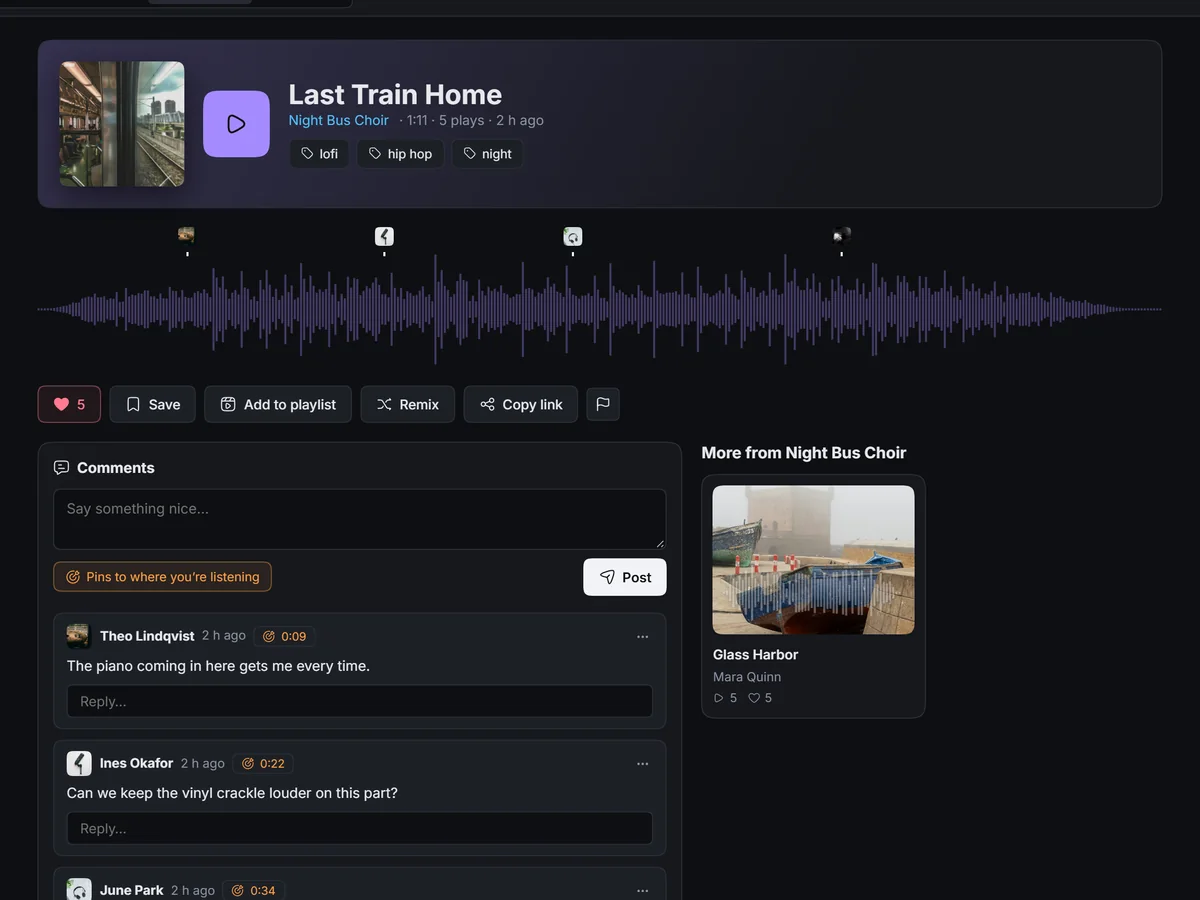
- Comments pinned to a moment and a track, with replies
- Bands with roles: Owner, Can edit, Can comment, Can view
- Private until you share it with a band, by link, or with everyone

Community
Publish it. Find your people.
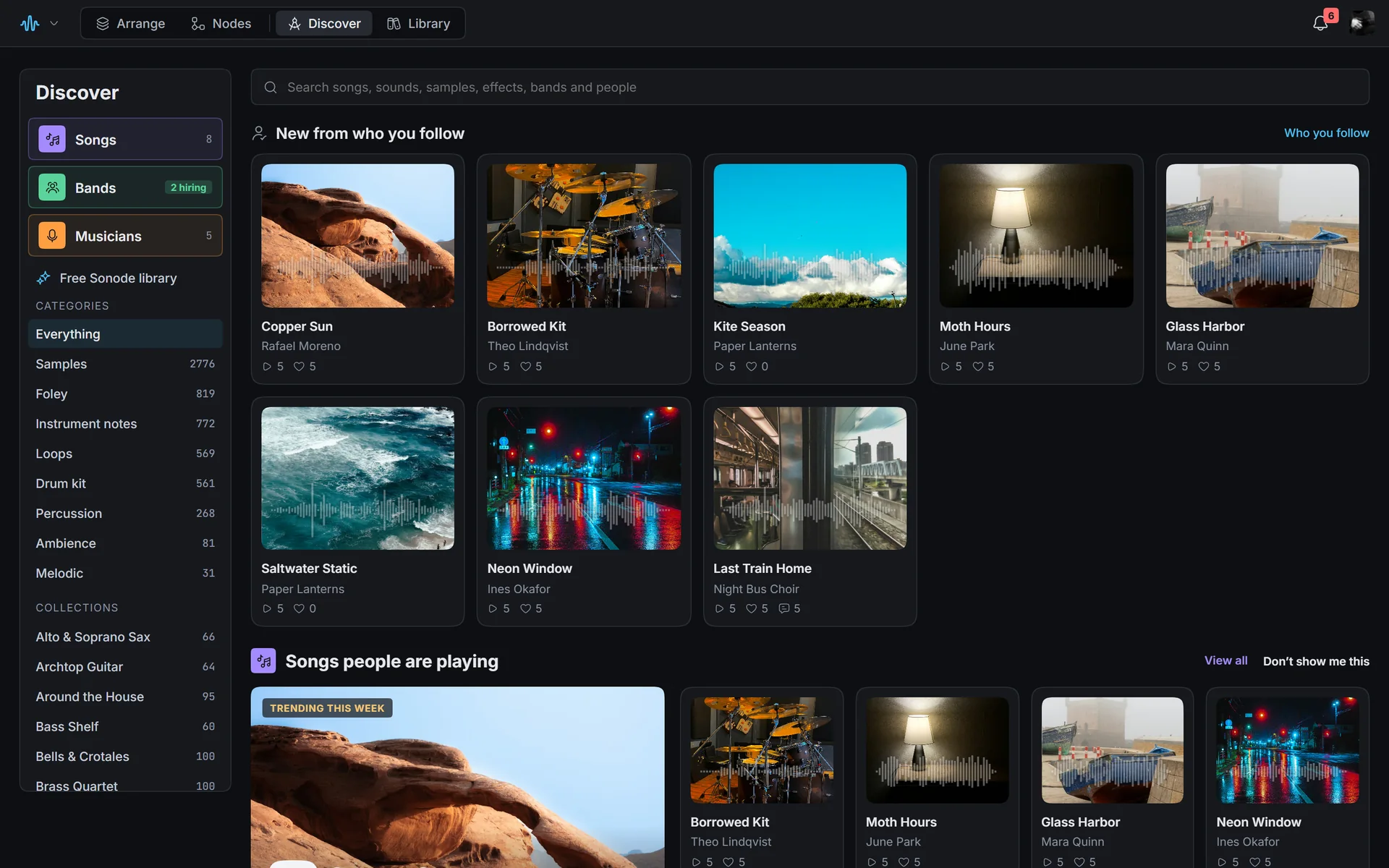
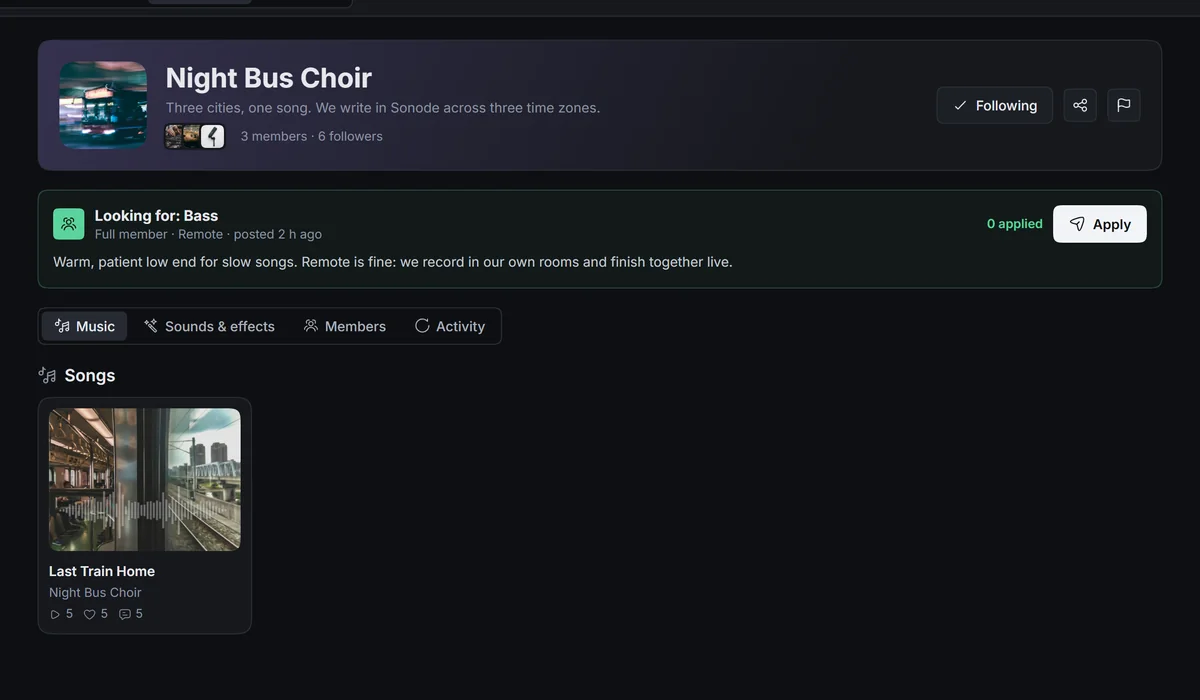
Publish a song and people can listen, like it, comment right on the waveform, add it to playlists and, if you let them, remix it. Follow musicians and bands, and find a band that needs exactly what you play.
A free library to start from
Thousands of public-domain samples, loops, instrument notes and sound effects, plus sounds built in Nodes that you can open and change.
Like, Save, and playlists
Like a song to tell its maker, Save it to come back to, and make playlists, public or just for you. Bands make albums.
Remixes
When a song allows it, open your own copy of the whole arrangement and make your version.
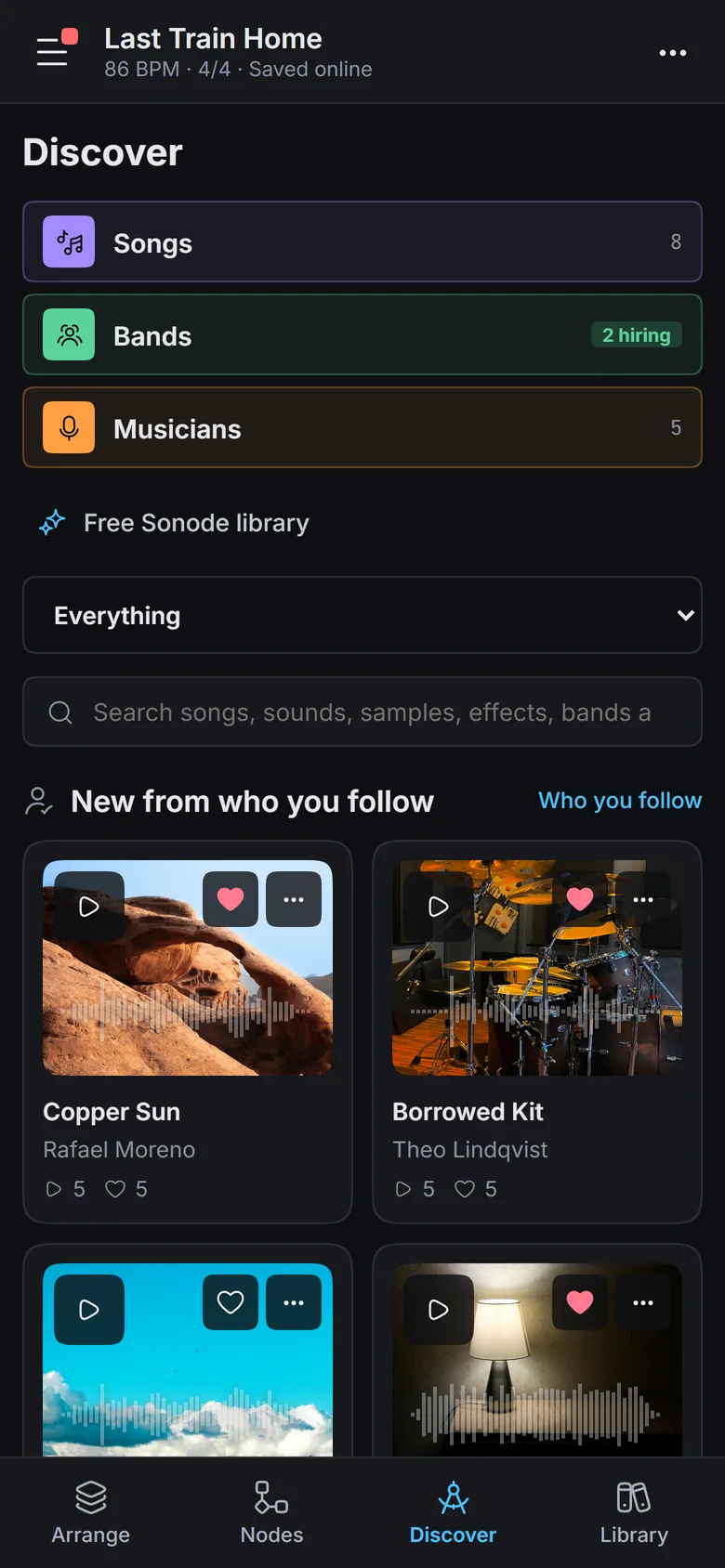
On your phone
The same studio, in your pocket.
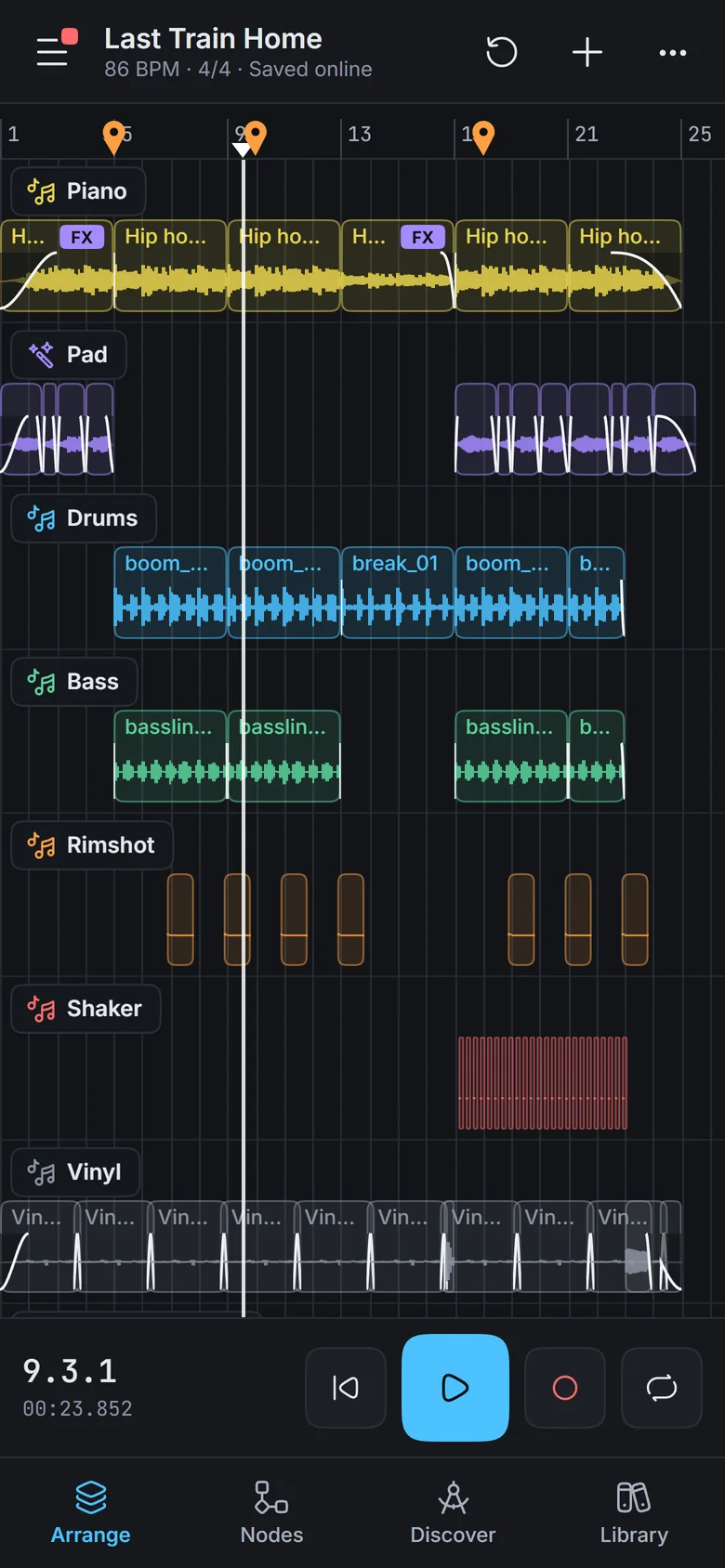
On a phone, Sonode lays itself out for your thumbs. Tap a track for its volume, pan and effects. Listen to what your band posted on the way home, and fix that fade before you get there.
Under the hood
Built to keep up with you.
A real audio engine
Written in Rust, compiled to WebAssembly and running on the browser’s audio thread, so playback stays smooth while you work.
Lossless by default
Each recording is stored once as 24-bit FLAC. Big takes upload in parts, so there’s no size limit.
Saves as you go
Songs save online as you work, with version history. Two people saving at once never silently overwrite each other.
Down to the sample
Zoom from the whole song to single samples and back, anchored wherever you point.
Yours to keep
Download a song as a .sonode file, or export it as a 24-bit WAV, whenever you like.
Quick with a keyboard
Every command shows its shortcut, and Ctrl K finds any sound or effect from anywhere.
Start your next song.
Free, in your browser. Sign in with Google and you’re in a song in seconds.
Start making music